4 Top Tools for Ecommerce Marketing Automation in 2026
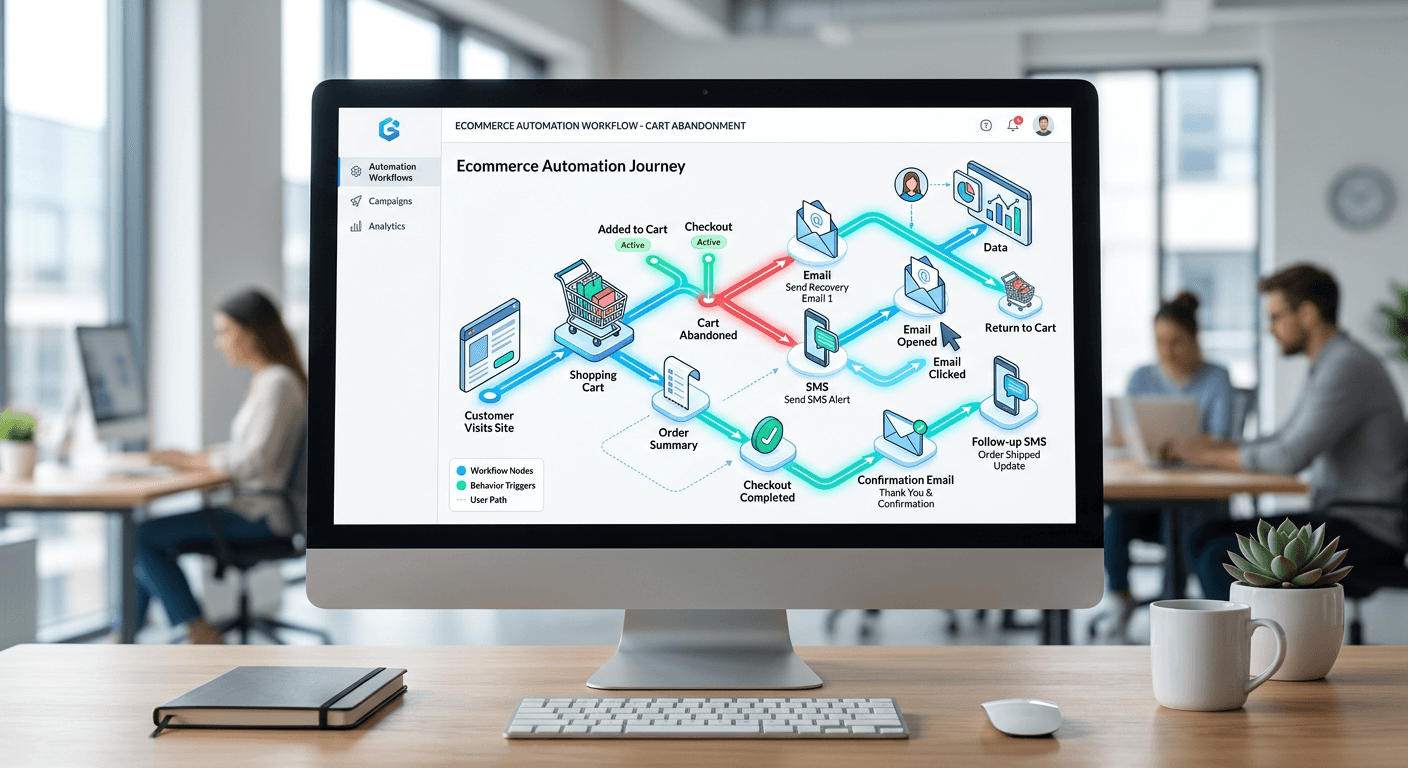
You configure a cart abandonment flow that triggers fifteen minutes after a user leaves the checkout page. The payload fires, but the customer is already browsing an alternative tab because the message lacked the dynamic product block containing the exact SKU they left behind. Setting up ecommerce marketing automation is supposed to prevent this latency and disconnect. Instead of broadcasting static newsletters, these systems map behavioral signals - clicks, cart additions, time on page - to automated delivery sequences across email and SMS. When evaluating growth, retaining a customer via email is only half the battle; acquiring them through optimized visibility - such as deploying AI-driven SEO for AI companies - ensures your funnel has enough volume to trigger these automations in the first place.
Quick Summary
Ecommerce marketing automation platforms connect directly to your store's database to trigger messages based on customer behavior. They replace bulk sends with targeted workflows that deploy email and SMS automatically when specific conditions are met.
- Integration depth dictates what behavioral triggers you can use.
- Starting costs align closely across platforms, but scaling prices diverge quickly.
- Deliverability limits on free tiers prevent testing high-volume sequences without a paid commitment.
Table of Contents
- Quick Summary
- Comparison Table
- How to Choose Your Ecommerce Marketing Automation Depth
- 1. Klaviyo
- 2. Omnisend
- 3. ActiveCampaign
- 4. Drip
- Which Tool Fits Your Situation
Comparison Table
| Product | Automation Depth | Features | Pros | Cons | Target Audience |
|---|---|---|---|---|---|
| Klaviyo | High-volume behavioral automation | SMS, email, dynamic blocks | 150 free SMS, 24/5 support (paid), Deep profiles | Paid starts at 251 contacts, Expensive at scale, Complex setup | Data-driven scaling stores |
| Omnisend | Turnkey store automation | Email/SMS, pre-built flows | 2700 Shopify reviews, Unlimited sends (Pro), 500 contacts on $16 plan | Strict free limits, Capped sends on standard, Less CRM depth | Plug-and-play ecommerce owners |
| ActiveCampaign | Pipeline and CRM automation | Drag-and-drop builder, pipelines | 240+ templates, Advanced CRM logic, $19 base tier | CRM add-on is $68/mo, 100 email trial limit, Steeper learning curve | Stores with heavy sales cycles |
| Drip | Lightweight multichannel automation | Visual campaigns, store integrations | 14-day full trial, Native Shopify/WooCommerce, Visual builder | Limited TrustRadius footprint, Starts at $19, Smaller template library | Visual sequence builders |
How to Choose Your Ecommerce Marketing Automation Depth
A feature count rarely separates these platforms. Every tool listed here sends an email when a user abandons a cart. The genuine separation lies in the automation depth - how the platform classifies customer data, where that data lives, and how much technical overhead is required to execute a workflow. A dominant marketing automation trend is the shift away from bulk blasts toward trigger-based multichannel flows, but executing this requires selecting the correct operational framework.
We categorize these platforms into four distinct approaches:
High-volume behavioral automation: This framework ingests vast datasets from the storefront via API. It maps highly specific custom events - such as hovering over a product image, interacting with a sizing chart, or viewing a specific brand category multiple times - to targeted flows. It suits engineering-adjacent marketing teams that require deep segmentation. The risk here is data overload; without analysts to parse the signals, the system simply collects expensive noise.
Turnkey store automation: Built specifically for direct, immediate connection to standardized ecommerce platforms. These tools bypass custom API configurations by reading native webhook events - like standard cart additions or payment failures - and routing them directly into predefined sequence templates. This avoids integration latency but structurally limits marketers from tracking bespoke site interactions outside the standard purchase funnel.
Pipeline and CRM automation: This structure merges storefront data with a dedicated sales tracking dashboard. It manages long consideration cycles by assigning numerical lead scores based on engagement, and physically tracking user profiles across a multi-stage sales pipeline. This is strictly designed for high-ticket items where marketing efforts must align perfectly with a human sales representative's follow-up schedule.
Lightweight multichannel automation: This approach focuses on the visual execution of campaigns without demanding deep data architecture. It allows marketers to draw branching paths for customers on a visual canvas, making the sequence logic entirely transparent. While easy to read, it often lacks the processing power to execute real-time machine learning recommendations on a per-user basis.
Practical rule: Do not buy an automation platform based on its free tier limits. Calculate what the system will cost you when your contact list triples, as the scaling curve is where platforms extract their highest margins.
Planning a marketing automation implementation means mapping these capabilities against your actual internal resources. If you have no one to write custom SQL queries, highly granular behavioral mapping will sit unused. Some agencies even package these configurations, offering marketing automation as a service to merchants who cannot build the flows internally.
1. Klaviyo
You log into the dashboard, expecting to launch a simple newsletter, only to find yourself configuring conditional splits based on a customer's predicted lifetime value and past purchase categories. Klaviyo is an email and SMS engine designed for online stores that demand granular control over customer data, moving far beyond basic broadcast metrics.
The system operates by deeply integrating with your store's backend to ingest real-time behavioral data. It stores every interaction - clicks, views, purchases, and active time on site - into individual customer profiles. Instead of relying on static lists, Klaviyo evaluates these profiles against dynamic segments that update instantly. When a user crosses a threshold - for instance, browsing a specific product category three times in a week - the mechanism triggers an email or SMS sequence populated with dynamic product blocks reflecting that exact category. This continuous synchronization ensures that messages reflect the user's most recent session data. Predicting what a customer will buy next based on historical site tracking firmly roots your strategy in the high-volume behavioral automation category.
Commercial scrutiny applies to high volume
According to its published pricing, Klaviyo's free plan includes up to 250 active profiles, 500 email sends per month, and 150 free SMS/MMS credits. The platform has a 4.6 out of 5 rating on G2 and Capterra. Once your list grows, the paid Email plan starts at $20 per month for 251 to 500 active profiles. Live chat support is available 24 hours a day, 5 days a week under the paid Email plan.
Aggressive pricing tied to active profiles constrains this system. Keeping a massive list of infrequent buyers quickly inflates the monthly bill. This model proves hostile to low-margin businesses. Such companies rely on bulk, untargeted broadcasting to large audiences. I would bypass this system entirely if you run a low-volume store without the staff to manage complex conditional splits.
Deploy this platform if your store processes high transaction volumes and you possess the analytical resources to segment audiences by predictive lifetime value.
Pros
- Centralizes complex behavioral metrics into single customer profiles
- Provides live chat support 24 hours a day during the work week on paid plans
- Includes SMS limits within the free tier for immediate testing
Cons
- Penalizes stores holding large, unengaged subscriber lists
- Demands technical fluency to maximize conditional flow logic
- Paid tiers begin abruptly once the 250-profile threshold is crossed
2. Omnisend
The bottleneck for most emerging store owners is the time spent mapping custom events; this platform removes that by automatically mapping standard checkout behaviors the moment it authenticates with the store. Omnisend acts as a direct plug-in for merchants who need immediate, pre-configured revenue recovery flows without touching API documentation.
The software rests directly on the platform's native architecture. It avoids building a separate data warehouse. Instead, it pulls standardized triggers like cart additions, order placements, and shipping updates. It funnels these into predefined templates. The mechanism pushes a single unified sequence. An unopened email can seamlessly trigger a follow-up SMS. This ensures execution across channels without separate software. By serving the turnkey store automation category, the platform ensures you never build logic from scratch. You simply activate templates already connected to your storefront's native webhook events.
Store connectivity replaces custom engineering
Omnisend provides a basic Free plan that restricts total contacts and monthly email sends. When evaluating the primary paid tiers, buyers typically compare the Standard plan starting at $16 per month with a send volume of 12 times the list size, against the Pro plan at $59 per month for unlimited monthly email sends. Upgrading removes the volume cap entirely for larger stores.
A strict middle-tier send volume cap constrains this tool. High-frequency daily communications trigger this cap quickly. A business will immediately hit the 12x list size limit. This forces a Pro plan upgrade regardless of actual list size. I would hold off if the marketing strategy demands complex, multi-brand logic that goes beyond standard store webhook events.
This system is the correct choice when a business needs pre-built cart abandonment and welcome series live within hours of installation.
Pros
- Integrates instantly with Shopify to pull product data
- Offers unlimited monthly email sends on the Pro tier
- Combines SMS and email into the same visual workflow
Cons
- Restricts standard plan sends to a strict multiple of the contact count
- Limits free tier testing to 500 total monthly sends
- Lacks the deep predictive data segmentation of enterprise alternatives
3. ActiveCampaign
Buyers evaluating this usually ask: can the system delay a promotional email until a sales representative has moved the specific lead out of the negotiation stage? ActiveCampaign merges email delivery with robust customer relationship management for complex sales motions.
The engine relies on a dual-database structure: one tracking marketing engagement and the other tracking sales pipeline progression. When a user interacts with a store, the system evaluates their lead score. If the score hits a defined metric, the system physically moves their profile into a new stage within a visual CRM board, triggering automated tasks for human agents alongside targeted email campaigns. The workflow uses over 240 templates alongside a drag-and-drop email builder to construct these conditional responses. By driving the pipeline and CRM automation category, the system evaluates the customer not just as a cart, but as an ongoing account that may require human intervention before a purchase is closed. Before capturing any user data for these CRM flows, ensure your store's privacy policies reflect the exact tracking mechanisms employed.
Sales pipelines require deliberate configuration
ActiveCampaign's email marketing plans start at $19 a month for the Starter plan. The free trial of ActiveCampaign is limited to two weeks and 100 email sends. Unlocking the system's core differentiator - the Pipelines enhanced CRM add-on, which includes sales CRM and automation - costs $68 per month.
This platform breaks down when applied to low-ticket, high-velocity consumer goods. Setting up lead scoring and deal stages for a simple consumer product adds administrative drag without generating return, punishing teams who just want to send a discount code. I would avoid routing simple apparel transactions through this architecture.
Select this infrastructure when your product requires direct human sales interaction and long consideration cycles.
Pros
- Bridges the gap between automated marketing and direct human sales
- Supplies over 240 templates to accelerate campaign creation
- Features a drag-and-drop builder for custom layouts
Cons
- Charges a steep $68 monthly premium to access the CRM pipelines
- Caps the trial period at 100 emails, limiting realistic testing
- Requires significant architecture planning to configure lead scoring correctly
Practical rule: Do not pay for a CRM add-on unless your team operates a dedicated sales desk. If transactions happen entirely on-site, a standard marketing flow is sufficient.
4. Drip
The mistake teams make when choosing visual sequence builders is assuming a simple interface means a lack of conditional branching; this tool proves you can map complex paths without writing boolean logic in a text field. Drip serves as an email and SMS engine built specifically to visualize customer journeys for ecommerce businesses.
It functions by translating customer behaviors into visual flowcharts. When you connect it to your backend, the system reads storefront APIs and plots triggers as visual nodes. A marketer drags lines between a "purchased item" node and a "wait 3 days" node, followed by a conditional split based on whether the customer opened the previous message. This interface translates the visual map into execution code on the server side, deploying emails and SMS exactly as drawn. By sitting in the lightweight multichannel automation category, it gives marketers full architectural view of the journey without requiring an engineering ticket to change a delay timer.
Visual mapping simplifies sequence logic
Pricing for Drip starts at $19 per month for up to 500 subscribers. The platform integrates with store platforms including Shopify, WooCommerce, and BigCommerce. Drip offers a 14-day free trial to test out the platform, and the CRM's visual campaign builder has 36 ratings of its features on TrustRadius.
The structural constraint of this platform is its focus on broader segments rather than hyper-individualized predictive profiles. Teams trying to build data-heavy algorithmic recommendations based on machine learning will find the visual node system lacks the depth for fully programmatic, AI-driven sorting. We would look elsewhere if the primary goal is executing real-time personalized product blocks.
Purchase this tool to manage complex, multi-step customer journeys without requiring an engineering team to code the rules.
Pros
- Connects natively to Shopify, WooCommerce, and BigCommerce
- Provides a full 14-day trial without strict email caps out of the gate
- Visualizes automation logic clearly for non-technical marketing teams
Cons
- Base pricing of $19 per month makes it slightly more expensive than standard entry tiers
- Carries a lighter footprint of enterprise user reviews on TrustRadius
- Lacks the deep pipeline mechanics needed for B2B sales cycles
Which Tool Fits Your Situation
Deploying a platform requires matching the software's structural bias to your team's operational reality. The wrong tool forces marketers to spend days maintaining list hygiene or fighting with API limits. When evaluating marketing automation for small businesses, the overhead of managing complex data often outweighs the benefits of predictive logic.
High-volume behavioral automation When your store processes thousands of daily sessions and you need to deploy dynamic recommendations based on granular browsing history, you require deep data integration. This path is mandatory for teams that want to trigger distinct messages based on exact product variants viewed, though it demands technical overhead to maintain.
Turnkey store automation If you run a lean operation focused entirely on standard checkout flows, prioritize platforms that plug directly into the storefront. This approach guarantees that abandoned carts and welcome series are live within hours, though it will restrict your ability to build highly custom behavioral splits later.
Pipeline and CRM automation For merchants selling high-ticket inventory that requires consultation, marketing must integrate with a sales pipeline. Moving leads through a visual board ensures that automated messages pause when a human representative is actively negotiating, preventing tone-deaf promotional broadcasts.
Lightweight multichannel automation When the marketing team needs to construct branching, complex message sequences without writing code, visual builders provide the necessary oversight. This format ensures that anyone logging into the dashboard can immediately understand the customer journey without reading through isolated conditional rules.